
螢幕
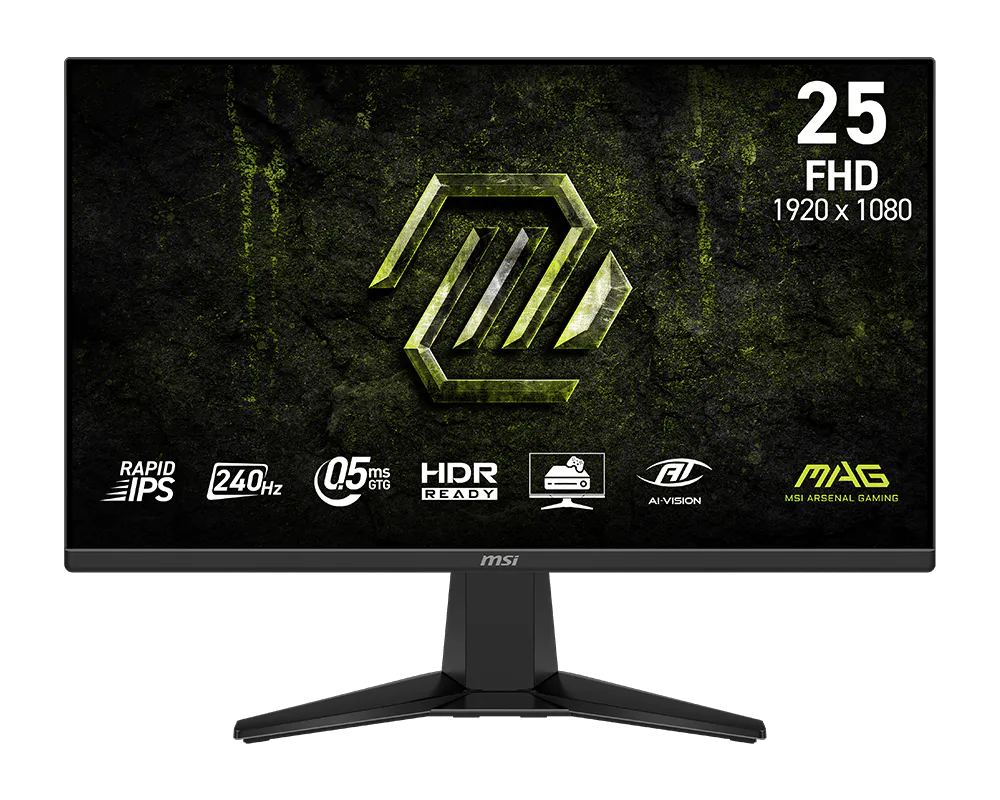
MSI 微星 MAG 255F X24 24.5 吋 FHD 240Hz Rapid IPS 電競螢幕
MSI MAG 255F X24 24.5-inch FHD 240Hz Rapid IPS Gaming Monitor
產品介紹
24.5 吋平面 Rapid IPS 面板搭配 FHD 解析度,適合重視快速反應及桌面空間的競技配置。240Hz 更新率與 0.5ms GtG 最小反應時間,可呈現連續、清楚的動態畫面。
產品特色
AMD FreeSync Premium 協助減少畫面撕裂。AI Crosshair 可依背景調整準星顏色,AI Vision 提供暗部、亮度及色彩調整。HDR Ready 支援 HDR 訊號,搭配防眩光表面,方便因應不同使用環境。
主要規格
• 顯示技術:平面 Rapid IPS;防眩光;10.7 億色、10-bit(8-bit + FRC)
• 對比/視角:1000:1;178°/178°
• 面板/解析度:24.5 吋;1920 × 1080;16:9
• 更新/反應:240Hz;0.5ms GtG(最小值);VRR 48–240Hz
• 亮度/HDR:SDR 300 nits;HDR Ready
• 色域:Adobe RGB/DCI-P3/sRGB:87%/90%/117%(CIE1976)
• 連接埠:HDMI 2.0b ×2、DisplayPort 1.2a ×1;耳機輸出 ×1
• 輸入上限/多工:HDMI/DP:FHD 240Hz;不支援 KVM、PIP/PBP
• 支架/壁掛:俯仰 -5°~20°;VESA 100 × 100mm
• 尺寸/重量:含支架 557.29 × 220.1 × 418.55mm;不含支架 557.29 × 65.52 × 326.85mm;淨重 3.24kg
• 電源:100–240V、50/60Hz
安裝與使用
將底座或相容 VESA 支架固定後再接線,確認桌面與支架足以承重。於系統設定選擇所需更新率;顯示卡、線材與輸入介面需共同支援。反應時間最小值與實際使用表現會因模式及設定而異。依環境調整亮度,清潔時使用柔軟布料,避免按壓面板。
Overview
A 24.5-inch flat Rapid IPS panel combines FHD resolution with a compact desktop footprint. Its 240Hz refresh rate and 0.5ms minimum GtG response suit competitive gaming and fast-moving content.
Features
AMD FreeSync Premium helps reduce tearing. AI Crosshair adapts aiming-marker color, while AI Vision adjusts dark details, brightness and color. HDR Ready accepts HDR content; an anti-glare surface reduces distracting reflections.
Specifications
Display: Flat Rapid IPS; anti-glare; 1.07 billion colors, 10-bit (8-bit + FRC)
Contrast/viewing: 1000:1; 178°/178°
Panel/resolution: 24.5-inch; 1920 × 1080; 16:9
Refresh/response: 240Hz; 0.5ms GtG minimum; VRR 48–240Hz
Brightness/HDR: SDR 300 nits; HDR Ready
Gamut: Adobe RGB/DCI-P3/sRGB: 87%/90%/117% (CIE1976)
Ports: HDMI 2.0b ×2; DisplayPort 1.2a ×1; headphone output ×1
Input limits/multitasking: HDMI/DP: FHD 240Hz; no KVM or PIP/PBP
Stand/mount: Tilt -5° to 20°; VESA 100 × 100mm
Dimensions/weight: With stand 557.29 × 220.1 × 418.55mm; without 557.29 × 65.52 × 326.85mm; net 3.24kg
Power: 100–240V, 50/60Hz
Setup and use
Secure the stand or compatible VESA arm before wiring and check its load capacity. Select the desired refresh rate in system settings; GPU, cable and input must support it. Minimum response figures depend on settings and mode. Adjust brightness for the room and clean gently without pressing the panel.
洽詢商品 歡迎透過 LINE 或來電,與我們確認規格及供貨資訊。