
螢幕
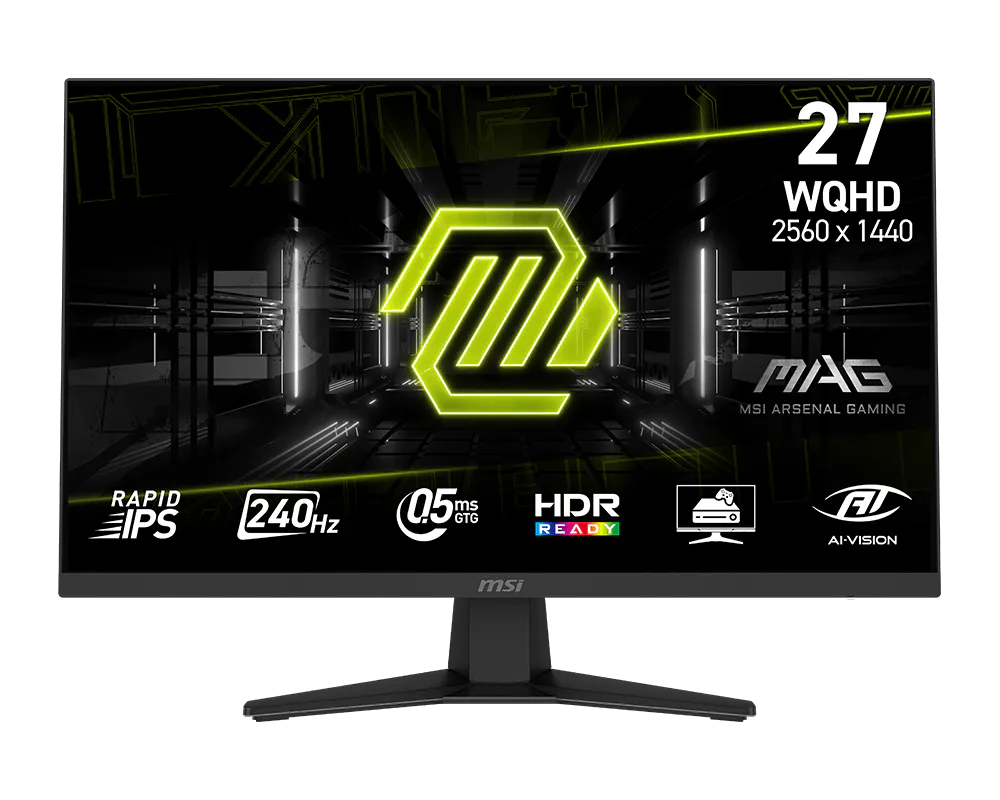
MSI 微星 MAG 274QF X24 27 吋 WQHD 240Hz Rapid IPS 電競螢幕
MSI MAG 274QF X24 27-inch WQHD 240Hz Rapid IPS Gaming Monitor
產品介紹
27 吋 WQHD Rapid IPS 螢幕在工作細節與競技流暢度之間取得平衡。2560 × 1440 解析度提供清楚的文字及影像,透過 DisplayPort 可達 240Hz,並具備 0.5ms GtG 最小反應時間。
產品特色
支援 AMD FreeSync Premium、AI Vision、HDR Ready 與防閃爍/減藍光功能。PIP/PBP 方便查看多組輸入;俯仰調整可配合日常使用。
主要規格
• 顯示技術:平面 Rapid IPS;防眩光;10.7 億色、10-bit(8-bit + FRC)
• 對比/視角:1000:1;178°/178°
• 面板/解析度:27 吋;2560 × 1440;16:9
• 更新/反應:240Hz;0.5ms GtG(最小值);VRR 48–240Hz
• 亮度/HDR:SDR 250 nits;HDR Ready
• 色域:Adobe RGB/DCI-P3/sRGB:93%/96%/130%(CIE1976)
• 連接埠:HDMI 2.0b ×2、DisplayPort 1.4a HBR3 ×1;耳機輸出 ×1
• 輸入上限/多工:DP:WQHD 240Hz;HDMI:WQHD 144Hz;PIP/PBP;無 KVM
• 支架/壁掛:俯仰 -5°~20°;VESA 100 × 100mm
• 尺寸/重量:含支架 613.5 × 249.7 × 438.5mm;不含支架 613.5 × 62.1 × 362.5mm;淨重 4.7kg
• 電源:100–240V、50/60Hz
安裝與使用
將底座或相容 VESA 支架固定後再接線,確認桌面與支架足以承重。於系統設定選擇所需更新率;顯示卡、線材與輸入介面需共同支援。反應時間最小值與實際使用表現會因模式及設定而異。依環境調整亮度,清潔時使用柔軟布料,避免按壓面板。
Overview
This 27-inch WQHD Rapid IPS monitor balances desktop detail with competitive speed. A 2560 × 1440 panel reaches 240Hz over DisplayPort, with a 0.5ms minimum GtG response for fast motion.
Features
AMD FreeSync Premium, AI Vision, HDR Ready, anti-flicker and reduced-blue-light features support everyday gaming. PIP/PBP displays multiple inputs, while tilt adjustment helps position the screen.
Specifications
Display: Flat Rapid IPS; anti-glare; 1.07 billion colors, 10-bit (8-bit + FRC)
Contrast/viewing: 1000:1; 178°/178°
Panel/resolution: 27-inch; 2560 × 1440; 16:9
Refresh/response: 240Hz; 0.5ms GtG minimum; VRR 48–240Hz
Brightness/HDR: SDR 250 nits; HDR Ready
Gamut: Adobe RGB/DCI-P3/sRGB: 93%/96%/130% (CIE1976)
Ports: HDMI 2.0b ×2; DisplayPort 1.4a HBR3 ×1; headphone output ×1
Input limits/multitasking: DP: WQHD 240Hz; HDMI: WQHD 144Hz; PIP/PBP; no KVM
Stand/mount: Tilt -5° to 20°; VESA 100 × 100mm
Dimensions/weight: With stand 613.5 × 249.7 × 438.5mm; without 613.5 × 62.1 × 362.5mm; net 4.7kg
Power: 100–240V, 50/60Hz
Setup and use
Secure the stand or compatible VESA arm before wiring and check its load capacity. Select the desired refresh rate in system settings; GPU, cable and input must support it. Minimum response figures depend on settings and mode. Adjust brightness for the room and clean gently without pressing the panel.
洽詢商品 歡迎透過 LINE 或來電,與我們確認規格及供貨資訊。