
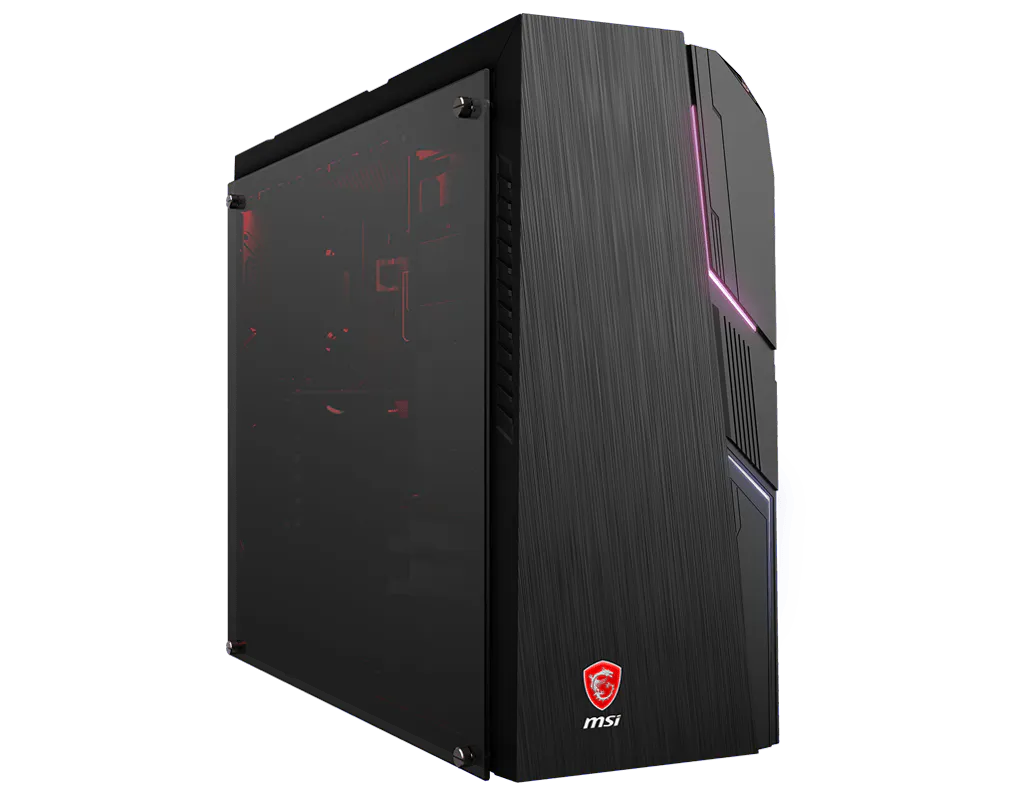
品牌桌機
MSI 微星 MAG Codex 5 12th 桌上型電腦
MSI MAG Codex 5 12th Desktop PC
MAG Codex 5 12th 為 MSI 微星桌上型電腦系列。以下依個別 SKU 列出處理器、顯示、記憶體與儲存配置,方便比較適合的版本;各配置分開列示。
產品特色
以各 SKU 的處理器、顯示晶片與記憶體組合選擇所需配置,並核對儲存容量。標示「最高」或「最大」的數值是支援上限,並不代表每個版本的實際配置。
各 SKU 配置
SKU: MAG Codex 5 12TH-1215TW
處理器:第12代Intel® Core™ i7-12700F處理器 (2.1GHz / 加速 4.9GHz)
顯示晶片:GeForce RTX 3050 VENTUS 2X,8G
記憶體:DDR4 16GB (16G*1, 3200MHz) / 2 插槽, 最大 64GB 以上為支援能力或插槽資訊;官方未列明此 SKU 的隨附容量。
儲存裝置:M.2 512GB PCIe SSD
作業系統:Windows 11 Home
SKU: MAG Codex 5 12TH-1216TW
處理器:第12代Intel® Core™ i5-12400F處理器 (2.5GHz / 加速 4.4GHz)
顯示晶片:GeForce RTX 3050 VENTUS 2X,8G
記憶體:DDR4 8GB (8G*1, 3200MHz) / 2 插槽, 最大 64GB 以上為支援能力或插槽資訊;官方未列明此 SKU 的隨附容量。
儲存裝置:M.2 512GB PCIe SSD
+
1TB(3.5")7200rpm HDD
作業系統:Windows 11 Home
使用與安裝
使用前請確認完整 SKU 與所需周邊介面相符。將設備放置於穩固、通風的位置,連接適用的電源與周邊後完成作業系統設定;更新適用的系統及裝置驅動程式。記憶體與儲存裝置升級前,先確認該 SKU 的插槽、相容性及維修方式。實際效能受電源模式、散熱與使用情境影響。
The MSI MAG Codex 5 12th Desktop PC family is listed below by individual SKU, with separate processor, graphics, memory and storage configurations for comparison.
Features
Choose a configuration by its SKU-specific processor, graphics and memory, then check storage. Values marked up to or maximum are limits and do not imply that every version includes that configuration.
SKU configurations
SKU: MAG Codex 5 12TH-1215TW
Processor: Gen 12 Intel® Core™ i7-12700F processor (2.1GHz / Turbo 4.9GHz)
Graphics: GeForce RTX 3050 VENTUS 2X,8G
Memory: DDR4 16GB (16G*1, 3200MHz) / 2 Slots, Max 64GB These are supported capabilities or slot details; the included capacity is not specified for this SKU.
Storage: M.2 512GB PCIe SSD
Operating system: Windows 11 Home
SKU: MAG Codex 5 12TH-1216TW
Processor: Gen 12 Intel® Core™ i5-12400F processor (2.5GHz / Turbo 4.4GHz)
Graphics: GeForce RTX 3050 VENTUS 2X,8G
Memory: DDR4 8GB (8G*1, 3200MHz) / 2 Slots, Max 64GB These are supported capabilities or slot details; the included capacity is not specified for this SKU.
Storage: M.2 512GB PCIe SSD
+
1TB(3.5")7200rpm HDD
Operating system: Windows 11 Home
Setup and use
Check the complete SKU and required peripheral connections before use. Place the device on a stable, ventilated surface, connect compatible power and peripherals, and complete operating-system setup. Install applicable system and device-driver updates. Before upgrading memory or storage, confirm the SKU-specific slots, compatibility and service procedure. Performance depends on power mode, cooling and workload.
洽詢商品 歡迎透過 LINE 或來電,與我們確認規格及供貨資訊。