
螢幕
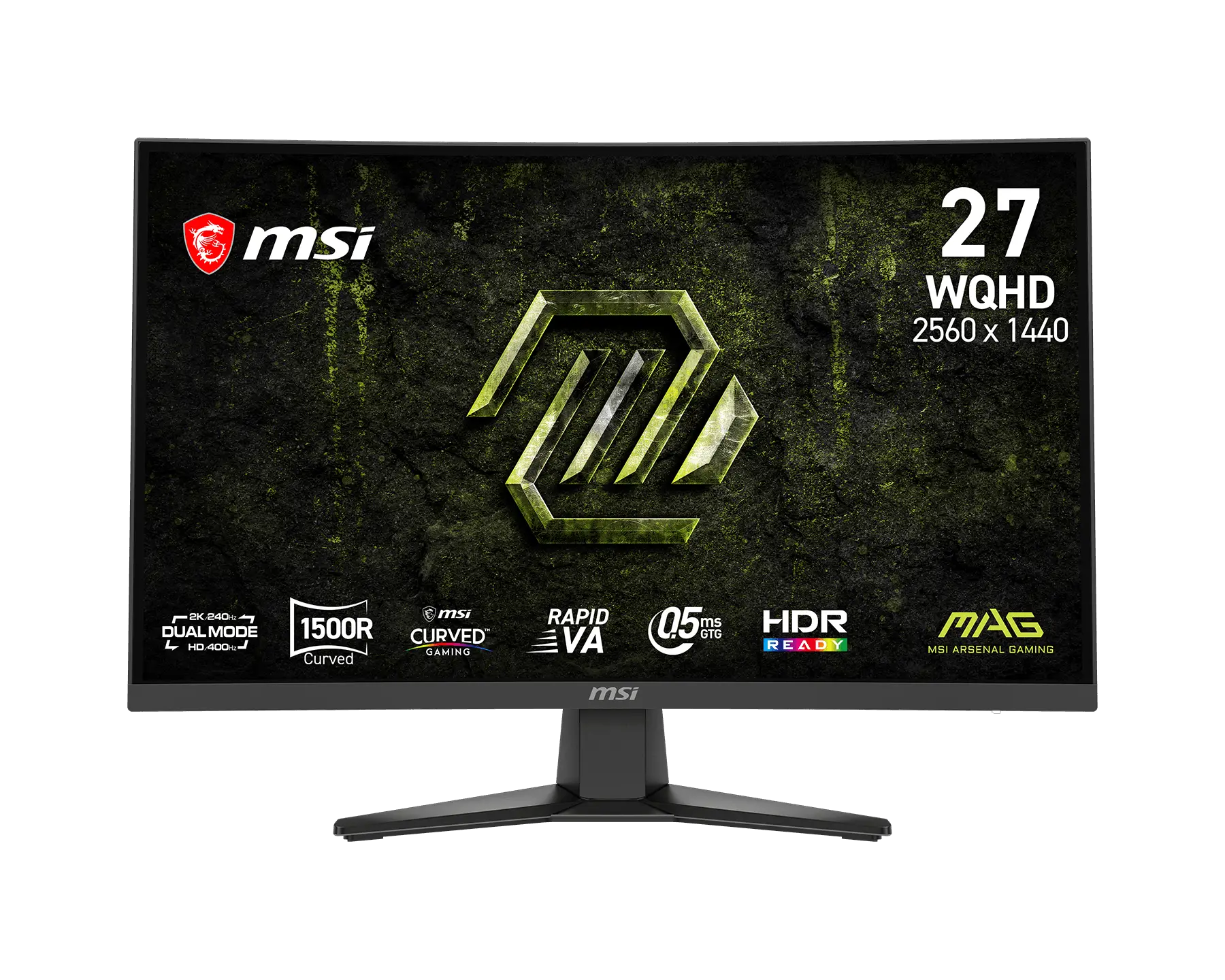
MSI 微星 MAG 275CQDF X24 螢幕
MSI MAG 275CQDF X24 Monitor
MSI 微星 MAG 275CQDF X24 螢幕,適合依畫面尺寸、解析度與更新率選擇顯示設備。面板與連接埠規格如下;不同輸入端子的最高解析度及更新率請依各項限制搭配。
產品特色
面板尺寸:27"
面板類型:Rapid VA
面板解析度:標準模式: 2560 x 1440 (WQHD)
雙模式: 1280 x 720 (HD)
更新率:標準模式: 240Hz
雙模式: 400Hz
反應時間:0.5ms (GtG, 最低值)
HDR 支援:HDR Ready
完整規格
面板尺寸:27"
有效顯示區域(mm):596.736 (H) x 335.664 (V)
曲率:曲面 1500R
面板類型:Rapid VA
面板解析度:標準模式: 2560 x 1440 (WQHD)
雙模式: 1280 x 720 (HD)
像素間距:0.2331 (H) x 0.2331 (V)
螢幕比例:16:9
亮度:SDR: 300 cd/m²
靜態對比度:5000:1 (典型值)
動態對比度:100000000:1
訊號頻率:QHD : 71.52~357.6 KHz(H) / 48~240 Hz(V)
HD : 36.48-304 KHz(H) / 48~400 Hz(V)
更新率:標準模式: 240Hz
雙模式: 400Hz
反應時間:0.5ms (GtG, 最低值)
動態更新率技術:AMD FreeSync™ Premium
HDR 支援:HDR Ready
影像連接埠:1 x DisplayPort 1.4a (HBR3)
2 x HDMI™ 2.0b (WQHD@240Hz)
音訊連接埠:1x 耳機輸出
可視角度:178° (H) / 178° (V)
Adobe RGB/DCI-P3/sRGB:96% / 96% / 131% (CIE1976 標準)
表面處理:防眩光
顯示色彩:1.07B, 10 bits (8 bits + FRC
電源規格:內建電源板
電源輸入:100~240V, 50/60Hz
俯仰調整:-5° ~ 20°
Kensington 鎖孔:支援
包裝尺寸(寬×深×高):686 x 157 x 442 mm
(27.01 x 6.18 x 17.40 吋)
VESA 安裝:100 x 100 mm
可變更新率範圍:QHD : 48~240Hz / HD : 48~400Hz
遊戲主機模式:支援的解析度與更新率:
1080p: 60Hz 與 120Hz
1440p: 60Hz 與 120Hz
HDMI™ CEC: 支援
VRR: PS5 與 Xbox 支援
含支架尺寸(寬×深×高):611.5 x 249.7 x 439.1 mm
(24.07 x 9.83 x 17.29 吋)
不含支架尺寸(寬×深×高):611.5 x 101.9 x 366.1 mm
(24.07 x 4.01 x 14.41 吋)
淨重/毛重:4.65 kg (10.25 lbs) / 7.1 kg (15.65 lbs)
配件:1x DisplayPort 線材 (1.4a), 1x 電源線 (C13), 1x 快速指南
備註:HDMI™: 標準模式(WQHD) : 2560 x 1440 (最高可達 144Hz)
雙模式(HD) : 1280 x 720 (最高可達 288Hz)
DisplayPort: 標準模式(WQHD) : 2560 x 1440 (最高可達 240Hz)
雙模式(HD) : 1280 x 720 (最高可達 400Hz)
支援: HDMITM CEC, PIP/PBP; 不支援: KVM
使用與安裝
將底座固定於穩固桌面,或依列示的 VESA 孔距選擇相容支架。連接適用的電源及影像線材,在作業系統與螢幕選單設定所需解析度、更新率及 HDR。最高更新率可能因輸入端子、解析度、顯示卡及線材而受限;超頻或雙模式數值須使用對應設定。USB 與 Type-C 功能依本型號列示的規格使用。
The MSI MAG 275CQDF X24 monitor offers the panel and connectivity specifications below. Choose it by screen size, resolution and refresh rate, and match your connection to the stated resolution and refresh-rate limits for each input.
Features
Panel size: 27"
Panel type: Rapid VA
Panel resolution: Normal: 2560 x 1440 (WQHD)
Dual Mode: 1280 x 720 (HD)
Refresh rate: Normal: 240Hz
Dual Mode: 400Hz
Response time: 0.5ms (GtG, Min.)
HDR support: HDR Ready
Full specifications
Panel size: 27"
Active display area (mm): 596.736 (H) x 335.664 (V)
Curvature: Curve 1500R
Panel type: Rapid VA
Panel resolution: Normal: 2560 x 1440 (WQHD)
Dual Mode: 1280 x 720 (HD)
Pixel pitch: 0.2331 (H) x 0.2331 (V)
Aspect ratio: 16:9
Brightness: SDR: 300 cd/m²
Contrast ratio: 5000:1 (Typ.)
Dynamic contrast ratio: 100000000:1
Signal frequency: QHD : 71.52~357.6 KHz(H) / 48~240 Hz(V)
HD : 36.48-304 KHz(H) / 48~400 Hz(V)
Refresh rate: Normal: 240Hz
Dual Mode: 400Hz
Response time: 0.5ms (GtG, Min.)
Dynamic refresh-rate technology: AMD FreeSync™ Premium
HDR support: HDR Ready
Video ports: 1 x DisplayPort 1.4a (HBR3)
2 x HDMI™ 2.0b (WQHD@240Hz)
Audio ports: 1x Headphone-out
Viewing angle: 178° (H) / 178° (V)
Adobe RGB / DCI-P3 / sRGB: 96% / 96% / 131% (CIE1976 Standard)
Surface treatment: Anti-glare
Display colors: 1.07B, 10 bits (8 bits + FRC
Power: Internal Power Board
Power input: 100~240V, 50/60Hz
Tilt adjustment: -5° ~ 20°
Kensington lock: Yes
Carton dimensions (W × D × H): 686 x 157 x 442 mm
(27.01 x 6.18 x 17.40 inch)
VESA mounting: 100 x 100 mm
Variable refresh-rate range: QHD : 48~240Hz / HD : 48~400Hz
Console mode: Supported Resolution & Refresh Rate:
1080p: 60Hz and 120Hz
1440p: 60Hz and 120Hz
HDMI™ CEC: Supported
VRR: PS5 and Xbox Supported
Dimensions with stand (W × D × H): 611.5 x 249.7 x 439.1 mm
(24.07 x 9.83 x 17.29 inch)
Dimensions without stand (W × D × H): 611.5 x 101.9 x 366.1 mm
(24.07 x 4.01 x 14.41 inch)
Net/gross weight: 4.65 kg (10.25 lbs) / 7.1 kg (15.65 lbs)
Accessories: 1x DisplayPort Cable (1.4a), 1x Power Cord (C13), 1x Quick Guide
Notes: HDMI™: Normal(WQHD) : 2560 x 1440 (Up to 144Hz)
Dual(HD) : 1280 x 720 (Up to 288Hz)
DisplayPort: Normal(WQHD) : 2560 x 1440 (Up to 240Hz)
Dual(HD) : 1280 x 720 (Up to 400Hz)
Support: HDMITM CEC, PIP/PBP; Non Support: KVM
Setup and use
Secure the stand on a stable desk, or choose a compatible mount using the listed VESA pattern. Connect compatible power and video cables, then set resolution, refresh rate and HDR in the operating system and monitor menu. Maximum refresh rate can depend on the input, resolution, graphics hardware and cable; overclocked or dual-mode rates require the corresponding settings. Use USB and Type-C functions according to the specifications listed for this model.
洽詢商品 歡迎透過 LINE 或來電,與我們確認規格及供貨資訊。